User Schedulers
Every Application user can have its own scheduler. Unlike the manual and policy schedulers, a user scheduler is not created from the UI. Application users authenticate with an API key rather than signing in, so their scheduler can currently only be created and managed through the Plakar Control Plane API, using that user’s API key.
An Application user has no scheduler by default. It must explicitly create one through the API before it can schedule any tasks. Once created, the user can manage its own scheduled tasks independently of the manual and policy schedulers.
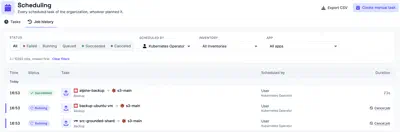
Tasks and jobs of user schedulers appear in Governance > Scheduling with those of the other schedulers. On the Tasks tab, the Users option of the Scheduled by filter shows only the tasks of user schedulers. It appears once a user scheduler has a task. On the Job history tab, the Scheduled by filter lists each Application user that has a scheduler, to show the jobs of that user only. See Job History for monitoring jobs and viewing their output.
Kubernetes Operator
The Kubernetes Operator is
currently the only client that creates a user scheduler. It authenticates as an
Application user and, when it connects to Plakar Control Plane, creates a
scheduler for that user if one doesn’t already exist. From then on, every
ScheduleBackup, ScheduleCheck, and ScheduleSync resource it manages
appears as a task scheduled by that user. See
Scheduling for how
the operator represents these tasks and their job history as Kubernetes
resources.