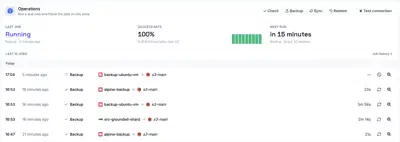
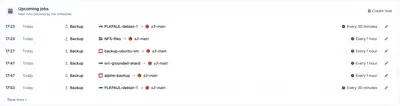
Job History
The Job history tab of Governance > Scheduling lists every job of the organization, whichever scheduler planned it: the manual scheduler, the policy scheduler or a user scheduler. It shows the jobs that have run, whether they succeeded or failed, and the jobs that are queued or running. The newest jobs come first, grouped by day, and the list is split into pages.
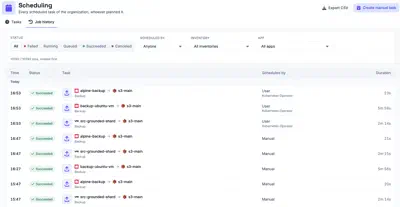
Each row shows when the job ran, its status, the task with its apps, the scheduler that planned it and how long it took. A failed job also shows its error, with a link to open the log. The list can be filtered by status, by the scheduler that planned the job, by inventory and by app. The job history can be exported as a CSV file, in full or from a given date.
Job details
Opening a job shows its details page. When the job produced a restore point, the page starts with a Browse snapshot button that opens it.
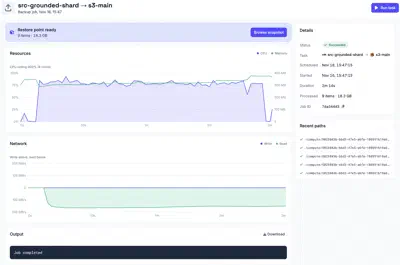
- Details: the status, the task, when the job was scheduled and started, its duration, what it processed so far, and the job ID.
- Resources: a graph of CPU and memory usage over the job’s runtime.
- Network: a graph of network throughput over the job’s runtime.
- Output: the log output of the job, useful for diagnosing failures. Download saves the full log.
- Recent paths: a live list of the last files processed, each showing
whether it has
succeeded,failed, or is still inprogress.
While a job is running, the output and recent paths update in real time, and a Cancel job button stops it.
A job run on an edge shows the same details. The edge streams them back while the job runs, and its output also includes the output of the job’s pre-job and post-job hooks. Cancelling a job on an edge still runs its post-job hook.
Jobs and Schedules on Apps
Each app (sources, stores & destinations) also surfaces scheduling information on its own details page:
-
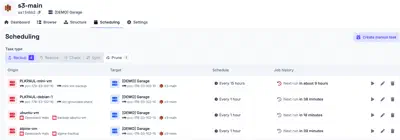
The Scheduling tab lists all schedules that involve that app, so you can see at a glance what is configured to run and when.
-
The Dashboard tab lists all past and upcoming jobs involving that app, scoped to that app only.