Self-Managed Inventory
#A self-managed inventory is a manually maintained inventory that acts as a container for resources you define yourself. It is useful when your infrastructure is not covered by a managed inventory, such as a local MinIO instance, a self-hosted PostgreSQL database, or any other resource supported by Plakar integrations.
Creating a self-managed inventory
#To create a self-managed inventory, you only need to provide a name. Once created, you can start adding resources to it. The inventory name can be edited later by clicking the settings icon in the top right of the inventory page, which opens a settings popup.
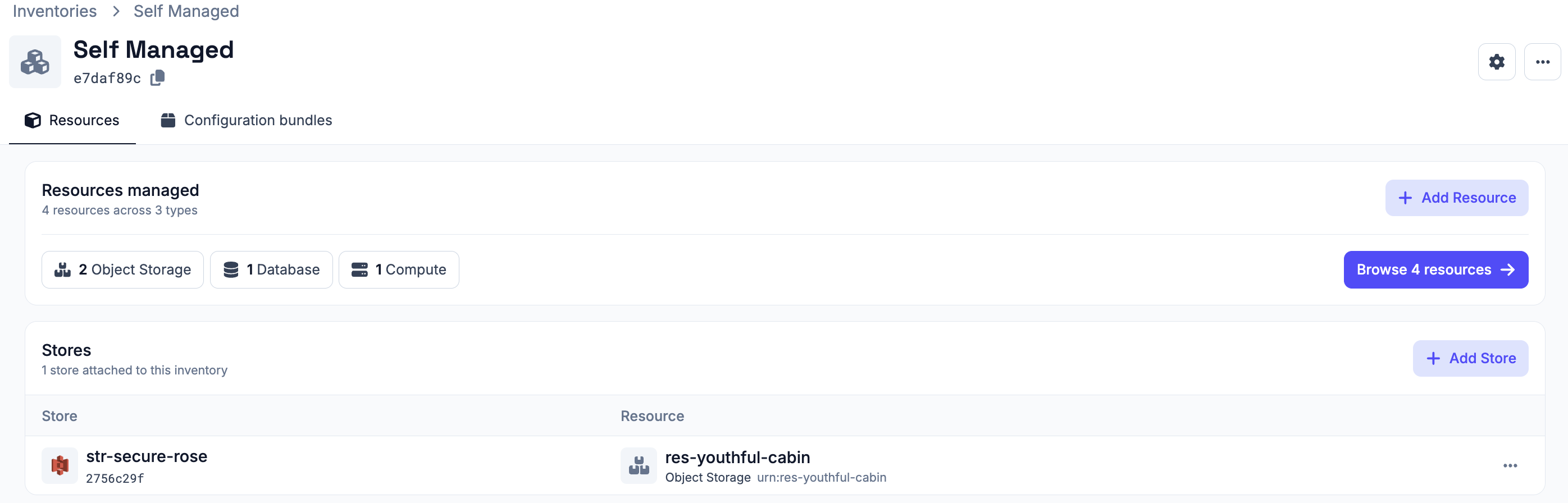
Adding resources
#Resources can be added individually or imported in bulk using a CSV file.
1. Adding a resource manually
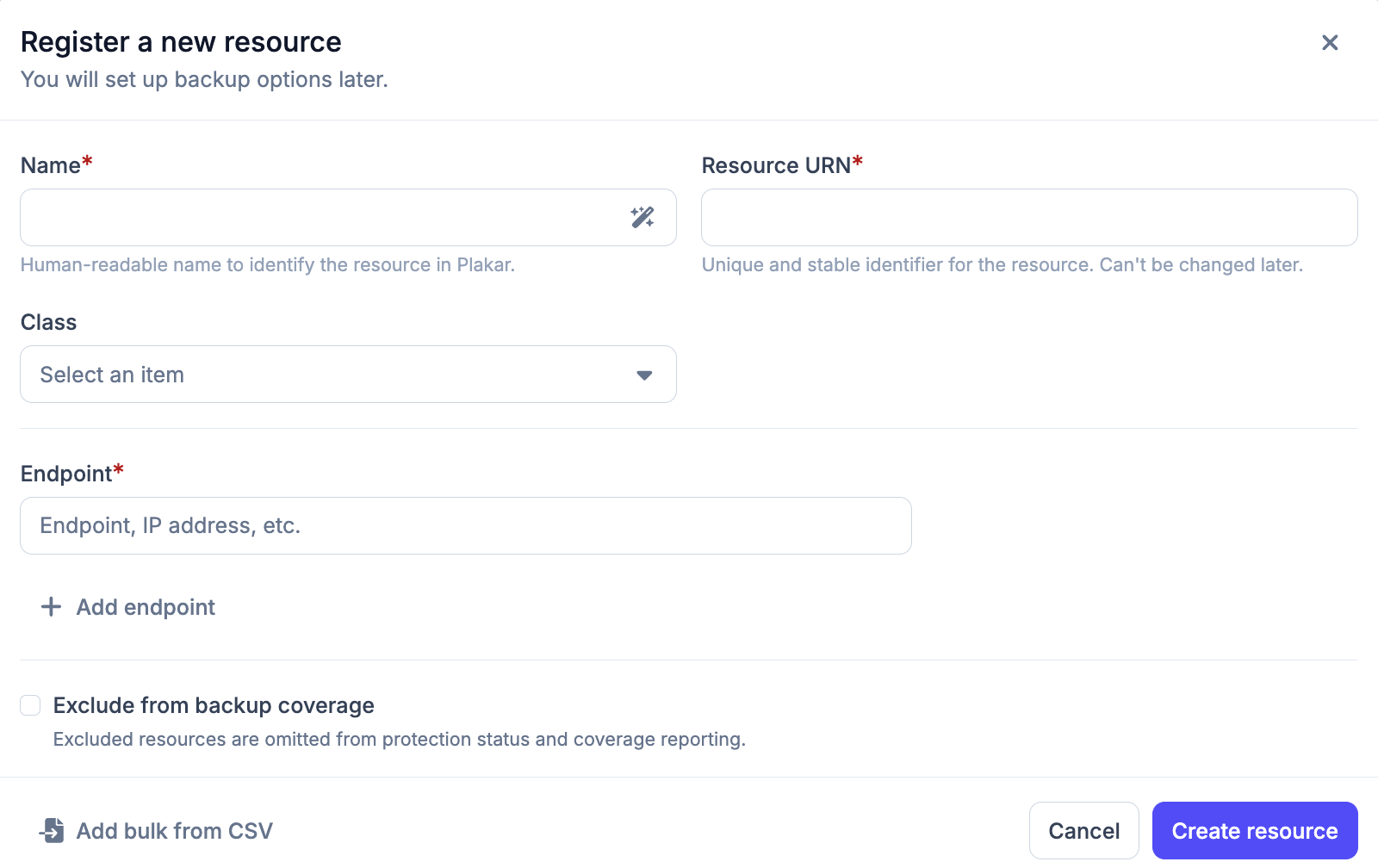
#When adding a resource manually, you need to provide:
- Name - a display name for the resource
- URN - a unique identifier for the resource
- Class - the type of resource. See Resource classes for the full list
- Subclass - a more specific type within the class. See Resource classes
- Hostname - the address used to reach the resource (hostname or IP address). A resource can have multiple hostnames.
- Exclude from backup coverage - optionally exclude the resource from backup coverage reporting (see Backup Coverage)
2. Importing resources via CSV
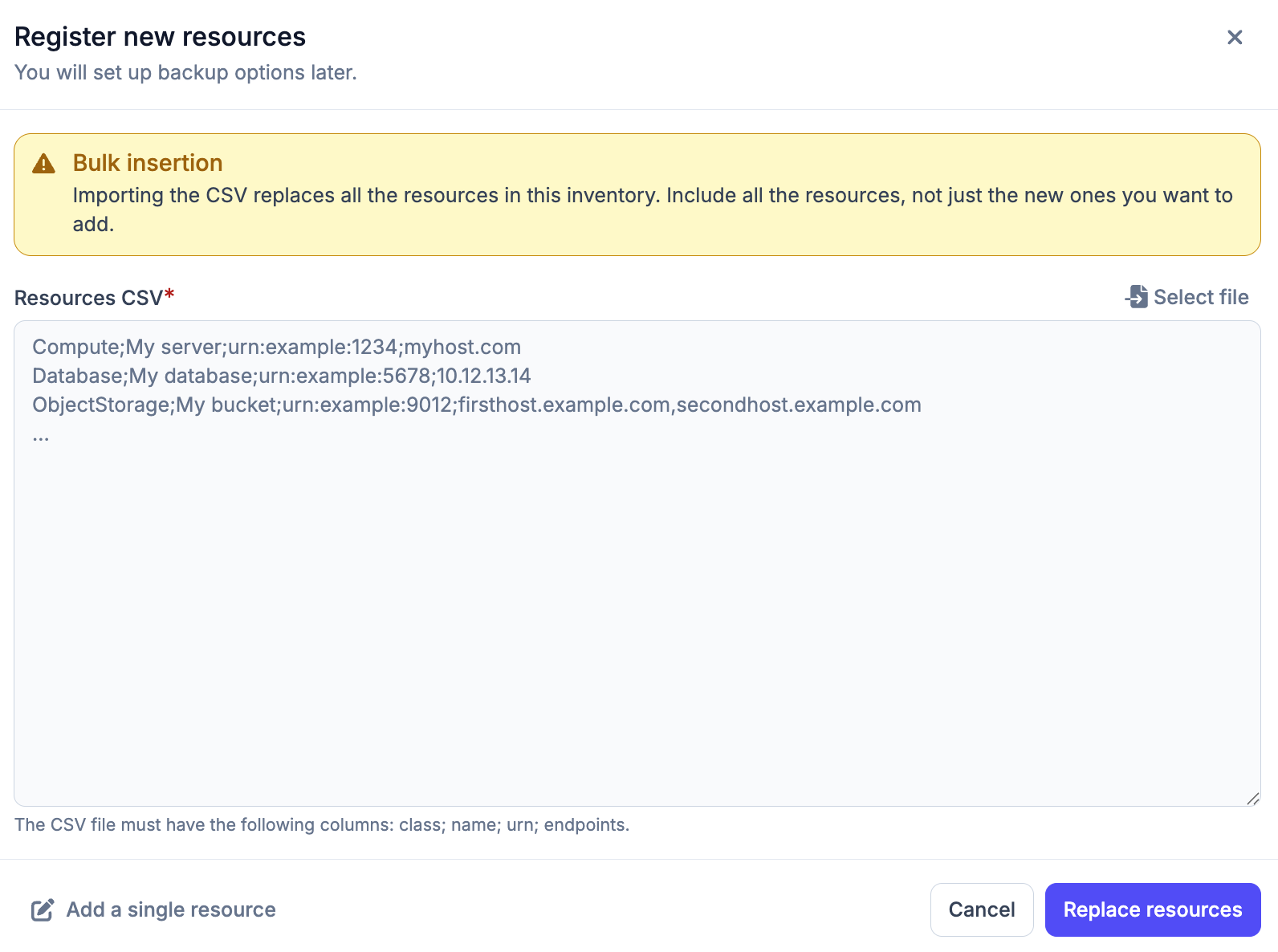
#To add multiple resources at once, you can import a CSV file. Each row should represent one resource in the following format. If a resource has multiple hostnames, they can be specified by separating them with commas.
Class;Name;URN;Hostname
Warning
Importing a CSV file replaces all existing resources in the inventory. Make sure to include both existing and new resources in the file.
Managing resources
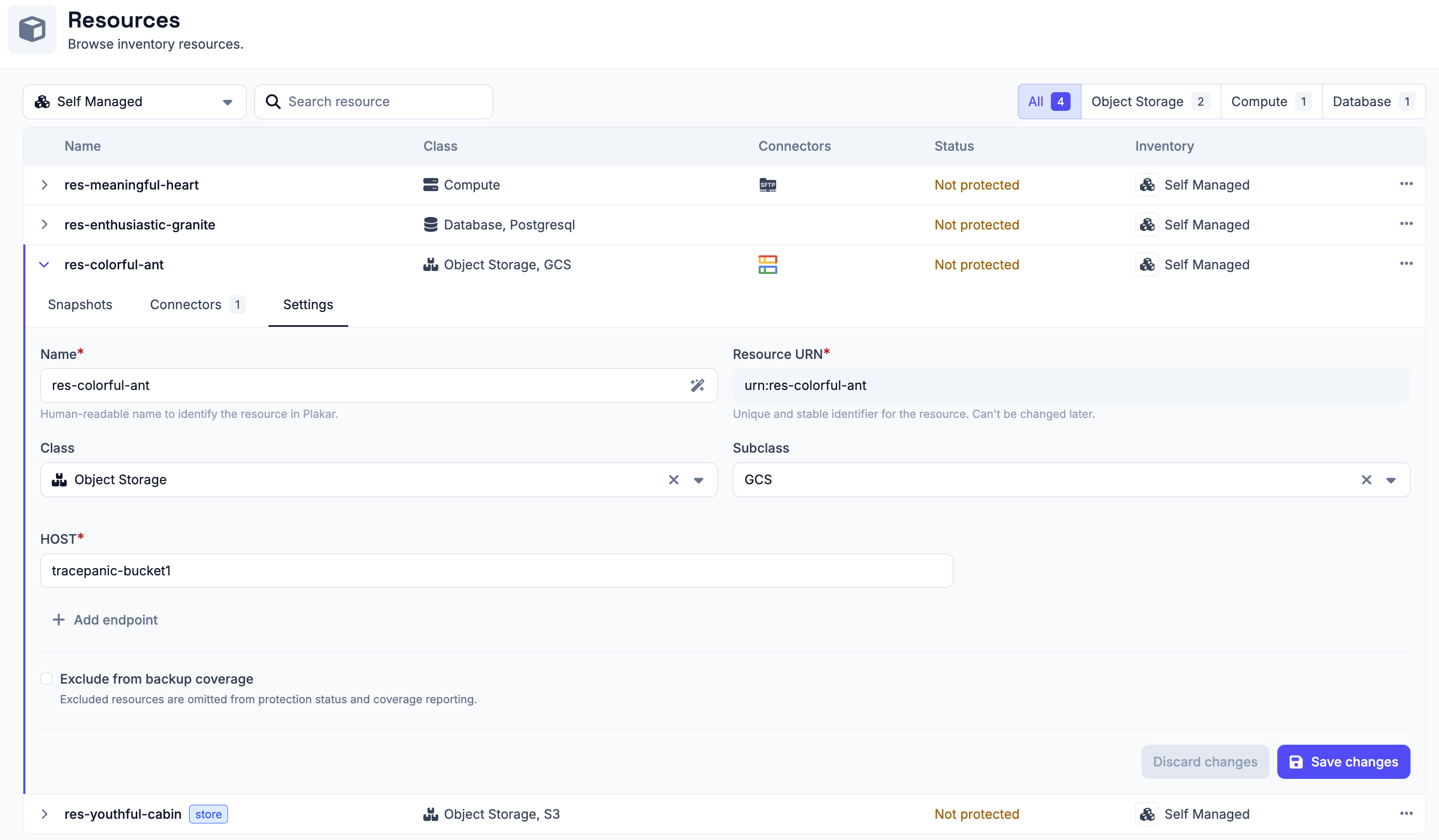
#You can expand a resource row to view its details. Each row expands to show three tabs:
- Snapshots - lists backups taken for this resource
- Connectors - shows connectors associated with this resource
- Settings - edit resource details and configure backup coverage
All fields can be modified in the Settings tab except the URN, which is immutable.
Resource class and sub-class
#When adding a resource, you select a class and optionally a subclass to describe the type of resource. The table below lists all supported classes and their subclasses. All resources managed by Plakar Control Plane are documented in the resources documentation
Backup Coverage
#By default, all resources in a self-managed inventory and all classified resources in a managed inventory are included in backup coverage reporting.
Backup coverage tracks how many of your resources are protected by backups. If a resource does not need to be backed up (for example, a test database), you can exclude it from coverage. Excluded resources are omitted from protection status and coverage reporting. This option can be configured when creating or editing a resource.