



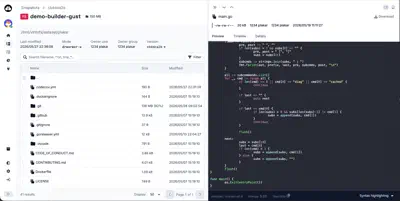
The command plakar ui spawns your browser and displays a nice interface to
list your backups, view their content, and download them.
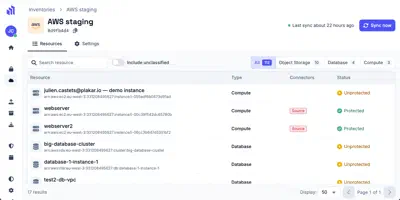
The commercial version of Plakar, that we call Plakar Control Plane which is targeting enterprise customers, has a more complex UI that also includes user management, multi-stores management, inventories of Cloud resources, and so on.
Behind the scenes, both are React applications written in TypeScript.
When backend developers at Plakar open the plakar-ui GitHub repository for the
first time, they might be surprised by the complexity of the frontend codebase.
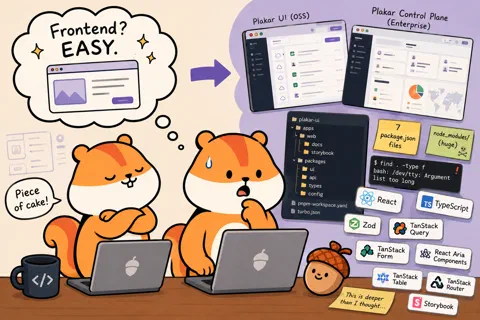
They might see a pnpm-workspace.yaml, a turbo.json, seven package.json
files, and a node_modules folder big enough to make find overflow their
terminal scrollback.
That’s the reason why I decided to write a few lines about the Plakar UI stack: to explain the rationale behind our choices, why we do things the way we do, what our dependencies are, and how they fit together.
A few lines… turned into a series
Alright, I might have lied a bit in the previous sentence… “A few lines” turned into a whole series of articles. Each article will cover a specific aspect of our frontend stack.
Here’s the list of topics we will cover:
- pnpm and Turborepo — why the monorepo is split the way it is, and how
Turborepo keeps
pnpm buildfrom taking ten minutes - React — for a backend developer, React might be like a unicorn: people talk about it all the time, but you’ve never actually seen one. We’ll explain briefly why React changed the frontend landscape
- TypeScript — I know that most developers are allergic to anything related to frontend, but I’ll try to convince you that TypeScript is a real game-changer in the way we write code
- Zod — TypeScript will lie to you at API boundaries: Zod is how we deal with that
- TanStack Query — probably the most important library we use. It’s a server-state synchronization layer, and it’s insanely cool
- TanStack Form — forms are at the heart of any application UI. Tanstack Form is what we use to build them, and it’s a joy to work with
- React Aria Components — have you ever realized Plakar UI is accessible using your keyboard? That’s thanks to React Aria, a library of accessible components that we use as building blocks for our UI
- TanStack Table — tables are nothing more than a
<table>element, right? Lol. You bet. - TanStack Router — how do we avoid having a 404 when we change the URL?
- Storybook — this article explains how we build our UI components in isolation, using Storybook as a playground and a documentation tool
- Testing strategy — let’s explain how we test our UI, and why we don’t try to achieve 100% test coverage… quite the opposite, actually
- Build process — this final article will explain how the code is shipped to production
Who is this for?
This series was originally written for the backend developers at Plakar, to help them understand the frontend codebase. Quickly, I realized that it could be useful for people outside of Plakar as well: don’t tell me you’ve always been in situations where there’s no gap in knowledge between your frontend and backend teams.
A word from a recovering backend developer
I’m originally mostly a backend/systems developer and a system administrator.
For years, I thought that the complexity comes from the backend, that frontend development is the “easy part” of a project, and something I would try to avoid as much as possible.
I was wrong, and I think that if you share these feelings I had and accept to be open-minded, you might change your mind and discover that frontend development comes with its own set of challenges — and not only related to the color of a button or the layout of a page.