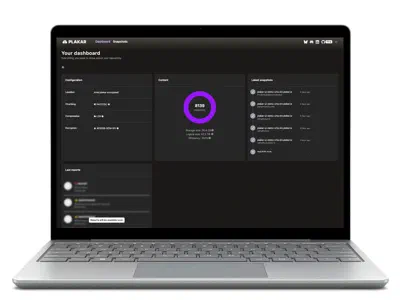

Overview
What the MongoDB integration does
The MongoDB integration backs up self-hosted replica sets and managed MongoDB
clusters by running mongodump --archive and storing the archive as an
encrypted, deduplicated Plakar snapshot. It restores the archive to any MongoDB
server with mongorestore, and a single collection comes back under a new name
next to the original. Plakar runs on any host that reaches the cluster, with the
free, open-source CLI or with Plakar Control Plane.
The source reads every database the backup user can see and streams the archive
into the snapshot as mongodump writes it. No archive file lands on the backup
host, so a 40 GB cluster needs no 40 GB of scratch space beside it.
$ plakar pkg add mongodb
$ plakar source add shop-rs mongodb://mongo1.example.com \
    username=backup password=secret
$ plakar at /var/backups backup "@shop-rs"
a41c07e9: OK ✓ /mongodb-backup.bson
a41c07e9: OK ✓ /
a41c07e9: backup completed without errors in 4m12.381s (in: 0 B, out: 1.6 GiB)
$ plakar at /var/backups ls
2026-11-13T02:00:04Z   6e2f9b10    38 GiB     4m09s /
2026-11-14T02:00:03Z   a41c07e9    38 GiB     4m12s /
$
Why Plakar
Why use Plakar for MongoDB backup
Nothing to install on the MongoDB servers
Plakar talks to the cluster over the MongoDB wire protocol, like the application
does. The replica set members keep their packages and their mongod.conf, and
the backup host is the only machine with Plakar on it.
Uncompressed MongoDB dumps that deduplicate
The integration leaves the archive uncompressed, so the parts of a dump that did not change since the previous one are already in the store and are not written again. In our test, a 1.1 GiB archive of 4 million orders took 274 MiB on the first run. The next archive, with the latest 1% of orders updated and 1% added, stored 5.2 MiB.
MongoDB archives encrypted before upload
Plakar encrypts each snapshot before it leaves the backup host. An S3-compatible bucket, an SFTP server or a disk holds only ciphertext, and the bucket’s credentials never sit on the MongoDB nodes.
Recovery scenarios
MongoDB backup and recovery scenarios
An AI agent strips a field from MongoDB orders
A coding agent working with the application’s connection string runs a migration
that unsets customer_id on every document of shop.orders. All replica set
members apply it. A plakar backup before the session, taken by a separate
backup user, with the store and its passphrase kept out of the agent’s
environment, leaves a clean copy. Restore shop.orders as
shop.orders_restored with the steps below and copy customer_id back by
_id, so the agent’s other changes stay.
A MongoDB bulk delete noticed after the oplog rolled over
A nightly job runs deleteMany with an empty filter on Tuesday, and support
reports missing accounts on Friday. The oplog keeps a fixed size, by default 5%
of free disk with a floor of 990 MB and a ceiling of 50 GB, and the delete plus
three days of traffic pushed Tuesday out of it. Monday night’s snapshot holds
the collection as it was. Load it under a new name and reinsert the missing
documents.
A MongoDB instance wiped with a ransom note
A test server goes to production with bindIp: 0.0.0.0 and
security.authorization left at its default, disabled. A scanner finds it,
drops every database and leaves a single collection asking for Bitcoin. Build a
new instance with authentication on, add it as a mongodb:// destination and
restore the last snapshot.
Moving a managed MongoDB cluster to your own servers
A cluster on a managed service is backed up through its SRV host name with a
mongodb+srv:// source. The same snapshot restores into a self-hosted replica
set with a mongodb:// destination, or into a cluster at another provider, and
the move rests on an archive you hold rather than on an export from the service.
One collection
How to restore a single collection in MongoDB
A Plakar snapshot holds the whole mongodump archive. mongorestore reads one
namespace out of it, and --nsFrom and --nsTo give it a new name, so the
production collection keeps every write made since the snapshot.
Pick the snapshot from before the damage. plakar ls lists the snapshots of
the store with their dates and IDs.
Stream the archive into mongorestore. plakar cat writes
/mongodb-backup.bson to standard output, and mongorestore --archive reads it
from standard input.
Load one collection under a new name. --nsInclude='shop.orders' selects
the collection, and --nsFrom/--nsTo load it as shop.orders_restored on the
production server or on a staging one.
Copy back what you need. Compare the two collections in mongosh, update or
reinsert the documents by _id, then drop shop.orders_restored.
$ plakar at /var/backups ls
2026-11-13T02:00:04Z   6e2f9b10    38 GiB     4m09s /
2026-11-14T02:00:03Z   a41c07e9    38 GiB     4m12s /
$ plakar at /var/backups cat 6e2f9b10:/mongodb-backup.bson | \
    mongorestore --uri="mongodb://admin@mongo1.example.com" \
    --archive \
    --nsInclude='shop.orders' \
    --nsFrom='shop.orders' --nsTo='shop.orders_restored'
$ mongosh "mongodb://admin@mongo1.example.com/shop"db.orders_restored
.find({}, { customer_id: 1 })
.forEach((d) =>
db.orders.updateOne(
{ _id: d._id },
{ $set: { customer_id: d.customer_id } },
),
);
db.orders_restored.drop();Connections
MongoDB connections: mongodb:// and mongodb+srv://
Self-hosted MongoDB by host name
A replica set member or a standalone server at a fixed address. The port comes
from the URL or the port option, 27017 by default.
plakar source add shop-rs \
  mongodb://mongo1.example.com \
username=backup password=secretManaged MongoDB through DNS SRV
The SRV host name of the deployment. mongodump resolves the members and their
port from DNS, as with any mongodb+srv connection string.
plakar source add shop-cluster \
  mongodb+srv://cluster0.example.net \
  username=backup password=secret
Built on MongoDB practice
MongoDB backup best practices built in
Three rules of MongoDB backup practice for logical dumps, and how Plakar follows each one.
Plan for failures that reach every replica.
Three members protect against a dead disk, not against a bad command, a breach or the loss of a site, which reach all of them at once. Plakar writes snapshots to a store you place on other hardware, in another account or at another site.
Dump when the working set can spare it.
mongodump pulls documents through the server’s memory and can push hot data
out of the cache on a busy cluster. Run plakar backup from cron or a systemd
timer in the quiet hours, or let a Control Plane policy set the time for every
cluster.
Test the restore, index builds included.
A logical dump carries index definitions, and mongorestore rebuilds every
index after loading the documents, which takes time on large collections.
Restore a snapshot into a staging server with a mongodb:// destination, check
the data, and keep the measured duration as your recovery time.
Inside a snapshot
What a MongoDB backup snapshot contains
Each snapshot holds one file, /mongodb-backup.bson, the archive
mongodump --archive wrote for that run. It carries every database the backup
user can read with its index definitions, and the users and roles from admin.
The MongoDB Database Tools read the file without Plakar in the loop.
The local database stays out, as with any mongodump run without --db.
a41c07e9:/
└── mongodb-backup.bson
Beyond cron and mongodump
mongodump to S3 and beyond: what Plakar adds to a cron job
The usual script runs mongodump --archive --gzip and copies the file to a
bucket. Plakar keeps mongodump and takes over the rest:
A second copy of MongoDB snapshots elsewhere
plakar sync copies snapshots to another store, in another account or on
another site. Enable Object Lock on that bucket when the copy must resist
deletion.
MongoDB backups checked before the restore
plakar check reads a snapshot back and confirms every chunk matches what was
stored, so an altered archive is caught before mongorestore touches a server.
Comparison
MongoDB backup tools compared: Plakar, backup suites and a mongodump cron job
MongoDB backups usually take one of two other forms: an enterprise backup suite
with a MongoDB agent, or a bare mongodump cron job.
| Plakar | Enterprise backup suites | A mongodump cron job |
|
|---|---|---|---|
| Nothing installed on the MongoDB nodes | YesPlakar connects as a MongoDB client | PartlyOften an agent on each node | PartlyDepends on where the script runs |
| Encrypted, deduplicated archive history | Yes | YesIn the suite’s own storage | NoUsually one compressed file a run |
| One collection restored under a new name | Yesplakar cat piped to mongorestore --nsFrom/--nsTo |
YesThrough the suite’s console and agent | Yesmongorestore on the archive |
| MongoDB and the rest of the stack with one tool | YesOne CLI and one store for files, buckets, PostgreSQL, MySQL and every other integration | YesThe workloads the suite supports | NoOne script per technology |
| Fleet-wide scheduling | YesPlakar Control Plane: inventories, policies, edges | YesA central console | NoYour own tooling |
| Free and open source | YesThe CLI | NoCommercial licence | Yes |
Managed MongoDB
Managed MongoDB backup beyond provider snapshots
A managed service’s backups restore quickly inside that service. A Plakar snapshot is an archive you keep, under credentials the service does not hold.
| Provider backup | Plakar snapshot | |
|---|---|---|
| Location of the copy | The provider and region of the cluster | A store you pick, in another account, cloud or site |
| Who can delete it | The project roles that manage the cluster | Whoever holds the store’s credentials |
| Retention | Set by the service, its policy and the plan | Set by your policy, deduplicated |
| Format | Managed by the service | A mongodump archive that mongorestore reads |
| Restore target | A cluster of the same service | Any MongoDB server, self-hosted or at any provider |
Quickstart
How to back up MongoDB with the open-source Plakar CLI
The Plakar CLI is free and open source. Install the integration, create a store,
register the cluster as a source, and run the backup from cron or a systemd
timer. The backup host needs mongosh, mongodump and mongorestore from the
MongoDB Database Tools.
The MongoDB CLI documentation covers every option of both schemes, inline certificates and the restore destination.
$ plakar pkg add mongodb
$ plakar at /var/backups create

$ plakar source add shop-rs mongodb://mongo1.example.com \
    username=backup password=secret
$ plakar at /var/backups backup "@shop-rs"
$ plakar at /var/backups check

$ plakar destination add shop-new mongodb://mongo-new.example.com \
    username=admin password=secret
$ plakar at /var/backups restore -to "@shop-new" <snapshot_id>
Control Plane
MongoDB backups across a fleet with Plakar Control Plane
When replica sets and managed clusters multiply across teams, Plakar Control Plane schedules their backups from one place. Each cluster is registered once, a policy decides how often it is backed up and how long snapshots are kept, and the tasks run on Plakar edges that reach the clusters.
See how Plakar Control Plane works, read the Control Plane MongoDB documentation, or contact us to plan a deployment.
Register the clusters. Add each server or deployment to a self-managed
inventory, by hand or from a CSV file, as a resource of class Database whose
endpoint is its host name or SRV host name.
Attach a source. Choose mongodb or mongodb+srv, with the same
credentials, TLS and certificate settings as the CLI.
Let a policy schedule it. A policy sets the frequency, the retention and the target store, and every matching cluster is backed up on that schedule.
FAQ
MongoDB backup FAQ
Is mongodump enough to back up MongoDB?
mongodump produces the archive. A backup also needs a schedule, a history,
encryption, a copy in another place and a way to check it. Plakar runs
mongodump and supplies those.
Can I back up MongoDB while it serves traffic?
Yes. mongodump reads a running server through an ordinary client connection,
and the cluster keeps accepting writes while it runs.
Do I still need backups with a MongoDB replica set?
Yes. A replica set survives the loss of a node. A snapshot is what brings back data that a bad write, a drop or an attacker removed from every member.
How do I restore a single MongoDB collection from a backup?
Pipe the archive into mongorestore:
plakar cat <snapshot_id>:/mongodb-backup.bson | mongorestore --archive --nsInclude='shop.orders'.
Add --nsFrom='shop.orders' --nsTo='shop.orders_restored' to load it beside the
original.
How do I back up MongoDB to S3?
Create the Plakar store in an S3-compatible bucket and run plakar backup as
usual. The archive is encrypted on the backup host, and each night uploads only
the chunks the bucket does not hold yet.
How do I recover a MongoDB database deleted by a ransom attack?
Start a new instance with authentication enabled and a private bind address,
then restore the last snapshot to it with a mongodb:// destination.
How do I get a MongoDB backup file out of Plakar?
Run plakar restore -to /tmp/mongo-restore <snapshot_id>. It writes
mongodb-backup.bson, a standard mongodump archive that
mongorestore --archive=/tmp/mongo-restore/mongodb-backup.bson loads on any
machine with the MongoDB Database Tools.
Which role does the MongoDB backup user need?
The built-in backup role, granted on the admin database, covers a full
mongodump. Restoring with the destination needs the restore role on the
target server.
Does a MongoDB backup include users and roles?
Yes. A dump of the whole instance carries the user and role definitions from
admin, and a restore of the full archive recreates them on the target.
Can Plakar back up MongoDB Atlas or another managed cluster?
Yes. Use a mongodb+srv:// source with the cluster’s SRV host name, such as the
one MongoDB Atlas shows in its connection string, and a database user that can
read every database.
How do I connect to MongoDB with TLS or X.509?
TLS is on by default. Set tls_ca_cert for a private CA, and tls_client_cert
with auth_mechanism=MONGODB-X509 for certificate login. The _data variants
take the PEM content inline.
How do I schedule MongoDB backups?
Run plakar backup "@<source>" from cron or a systemd timer on the backup host.
Across many clusters, a Plakar Control Plane policy sets the frequency and the
retention and schedules every matching cluster.
How much disk space does the MongoDB backup host need?
None for the archive. mongodump streams into Plakar, and only the store grows,
by the chunks each run adds.
Should I use the free CLI or Plakar Control Plane?
Start with the free, open-source CLI for a few clusters on cron. Move to Plakar Control Plane for policies, edges and one view across many clusters and teams. Both run the same MongoDB integration.