# Backing Up an OVHcloud Managed PostgreSQL Database
This guide backs up an OVHcloud Managed PostgreSQL database using `pg_dump` streamed through Plakar to OVHcloud Object Storage. The result is an encrypted, deduplicated snapshot stored separately from your database infrastructure.
## Architecture
{{< mermaid >}}
flowchart TB
subgraph Client["Backup Client"]
PGDump["pg_dump"]
Plakar["Plakar
stdin integration"]
end
subgraph DB["OVHcloud Managed PostgreSQL"]
Postgres["PostgreSQL"]
end
subgraph Storage["OVHcloud S3 Object Storage"]
S3["Kloset Store
(Encrypted & Deduplicated)"]
end
Postgres -->|SQL dump| PGDump
PGDump -->|stdin| Plakar
Plakar -->|Snapshots| S3
{{< /mermaid >}}
## Prerequisites
- OVHcloud account with billing configured
- Plakar installed on backup client
- PostgreSQL client tools (`pg_dump`)
- OVHcloud Object Storage bucket configured
## Create PostgreSQL Database
### Provision database
1. Log in to OVHcloud Control Panel
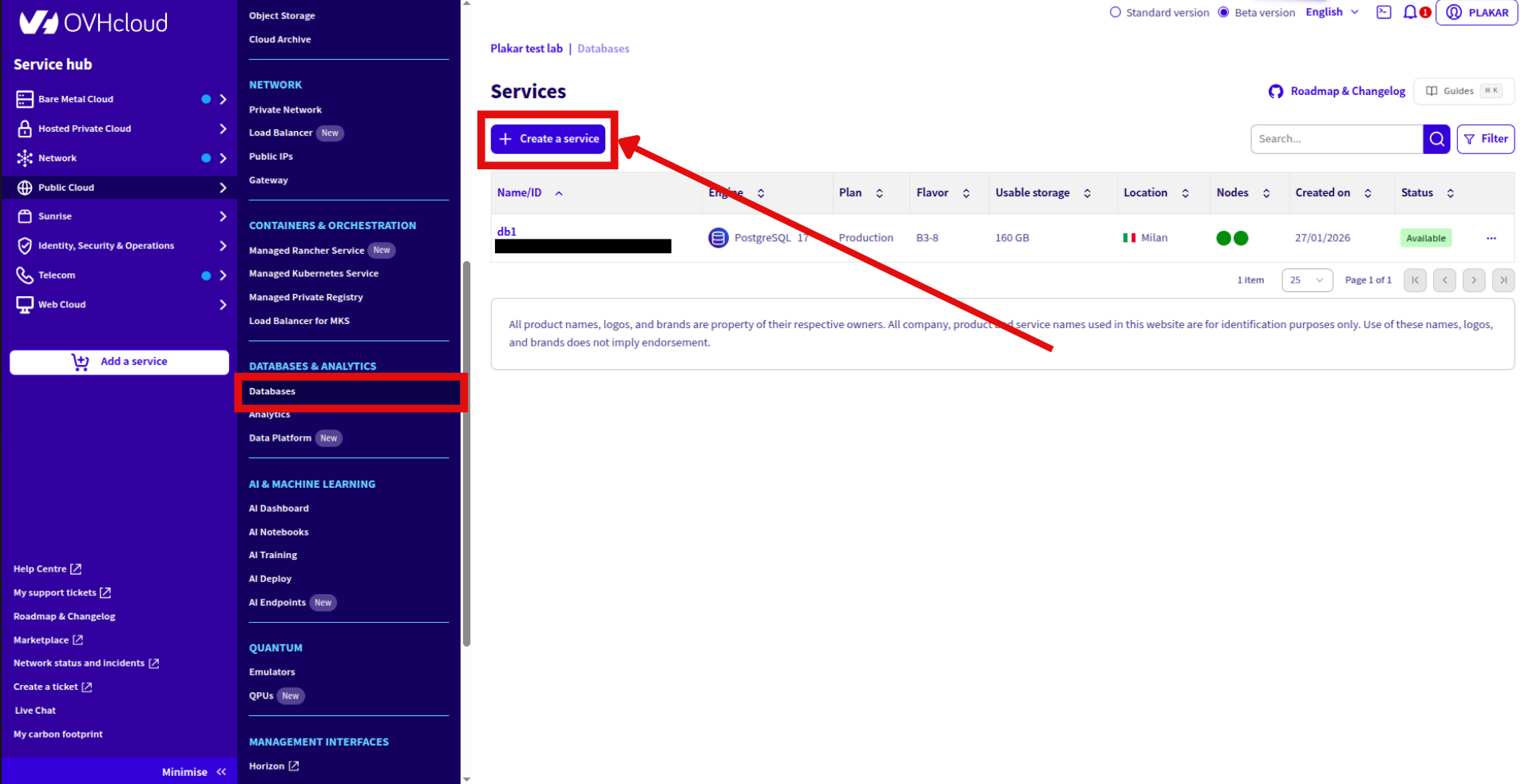
2. Go to **Public Cloud** → **Databases & Analytics** → **Databases**
3. Click **Create a service**
4. Configure:
- Database name
- Engine: PostgreSQL
- Version: 14-18 (OVHcloud supported)
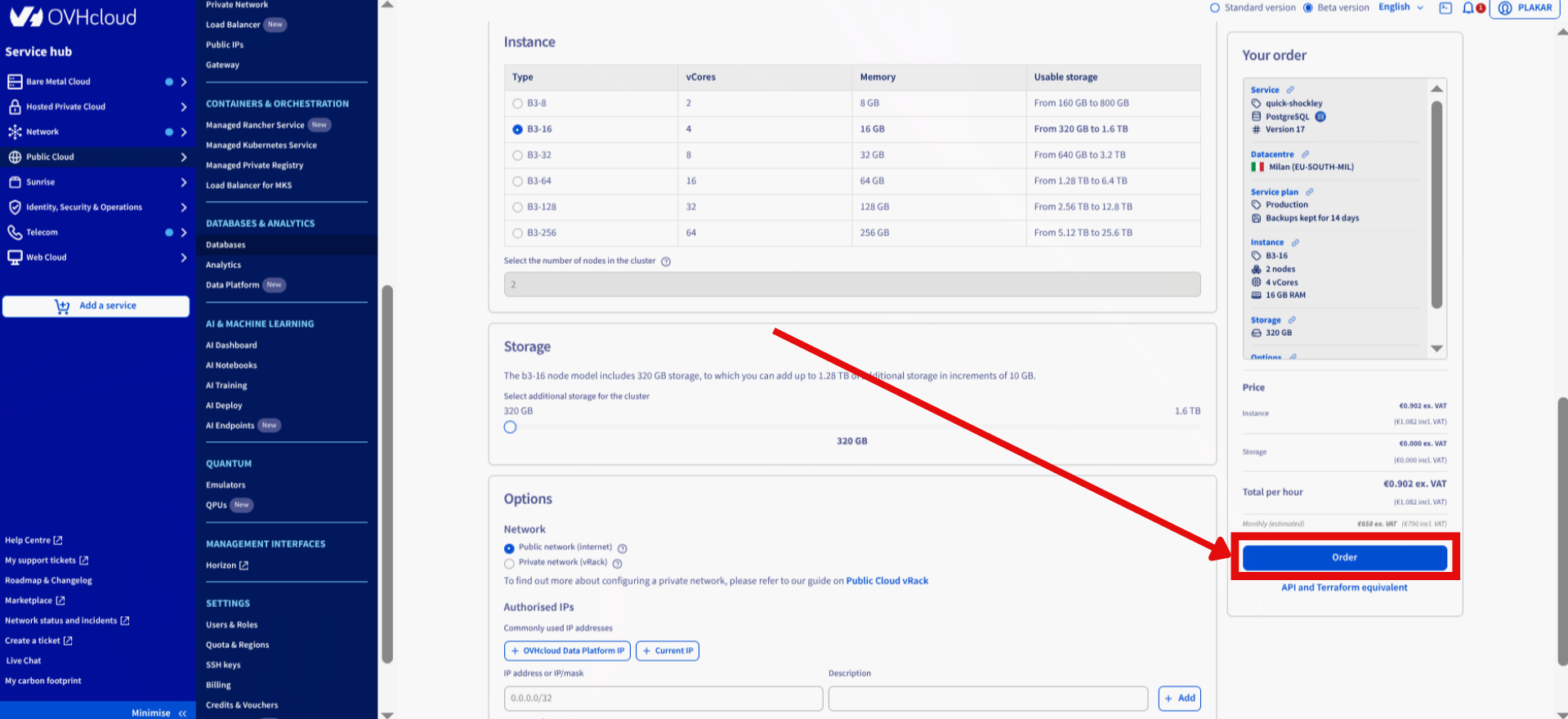
- Instance: Select vCores, memory, storage
- Network: Public network
5. Click **Order**
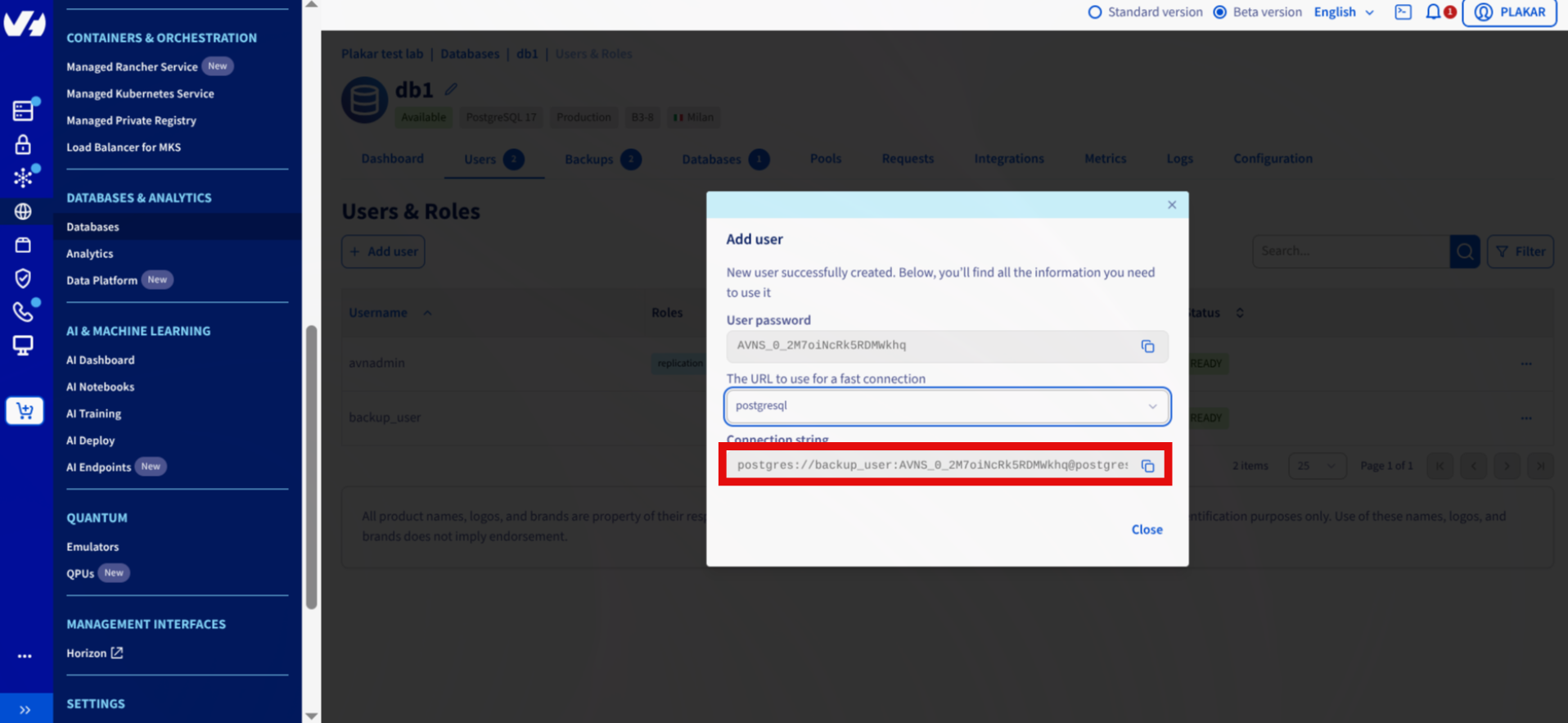
### Create backup user
1. Open PostgreSQL database in dashboard
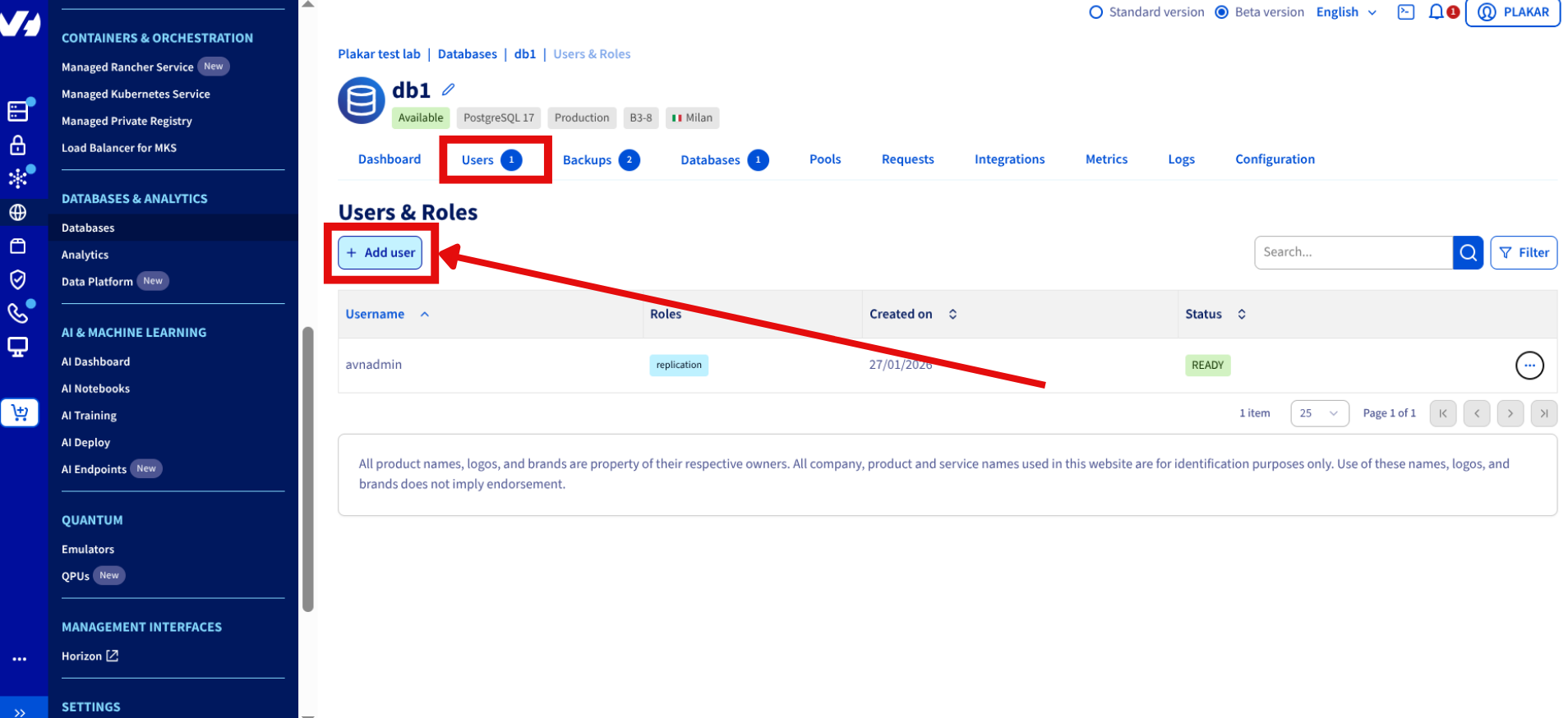
2. Go to **Users** tab
3. Click **Add user**
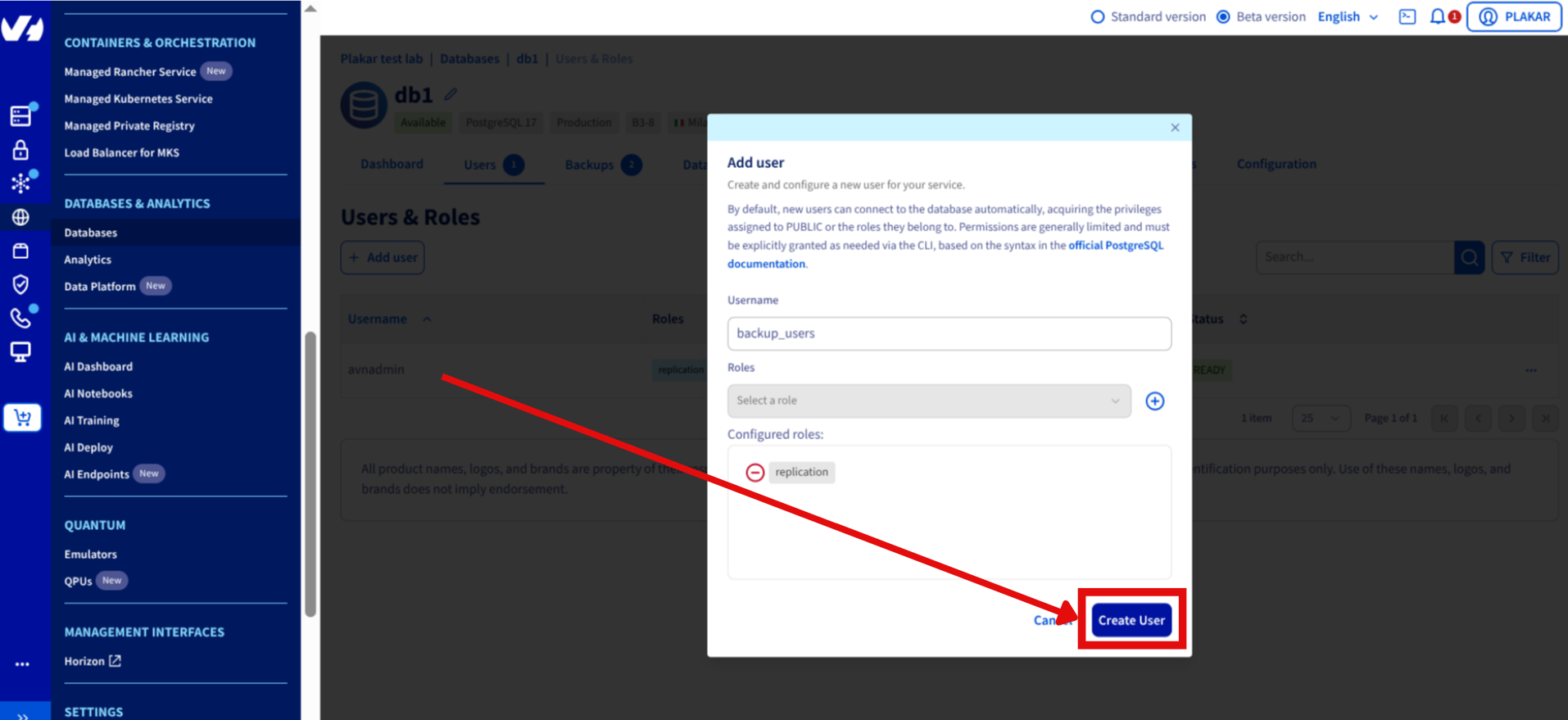
4. Configure:
- Username: `backup_user`
- Role: `replication`
5. Save connection string
## Install Tools
Install PostgreSQL client:
```bash
$ sudo apt update
$ sudo apt install postgresql-client
```
Install Plakar using the [installation guide](../../../quickstart/installation).
## Configure PostgreSQL Connection
Set environment variables from connection string:
```bash
$ export PGHOST=
$ export PGPORT=5432
$ export PGUSER=
$ export PGPASSWORD=
```
Test connection:
```bash
$ psql -X
```
Exit with `\q`.
## Configure Object Storage
### Install S3 integration
```bash
$ plakar login -email you@example.com
$ plakar pkg add s3
```
### Create Object Storage bucket
If not already configured, follow: [OVHcloud Object Storage setup](../ovhcloud-as-a-dedicated-backup-server/#configure-object-storage)
### Add Kloset store
```bash
$ plakar store add ovhcloud-s3-postgres \
location=s3:/// \
access_key= \
secret_access_key= \
use_tls=true
```
Replace:
- ``: e.g., `s3.eu-west-par.io.cloud.ovh.net`
- ``: e.g., `plakar-backups`
- `` and ``: From OVHcloud Control Panel
### Initialize store
```bash
$ plakar at "@ovhcloud-s3-postgres" create
```
## Back Up Database
Run backup:
```bash
$ pg_dump | plakar at "@ovhcloud-s3-postgres" backup stdin:dump.sql
```
Verify:
```bash
$ plakar at "@ovhcloud-s3-postgres" ls
```
## Restore Database
Retrieve snapshot ID:
```bash
$ plakar at "@ovhcloud-s3-postgres" ls
```
Restore:
```bash
$ plakar at "@ovhcloud-s3-postgres" cat :dump.sql | psql
```
## Automate Backups
Create cron job for daily backups:
```bash
$ crontab -e
```
Add:
```bash
0 2 * * * pg_dump | plakar at "@ovhcloud-s3-postgres" backup stdin:dump-$(date +\%Y\%m\%d).sql
```
## Troubleshooting
**Connection refused**
- Verify `PGHOST`, `PGPORT`, `PGUSER`, `PGPASSWORD` environment variables
- Check network access to managed database
**Authentication failed**
- Confirm backup user has `replication` role
- Verify password in connection string
**S3 upload errors**
- Check S3 credentials: `plakar store show ovhcloud-s3-postgres`
- Verify endpoint URL and bucket name
- Confirm bucket exists in OVHcloud dashboard
**pg_dump not found**
- Install PostgreSQL client: `sudo apt install postgresql-client`